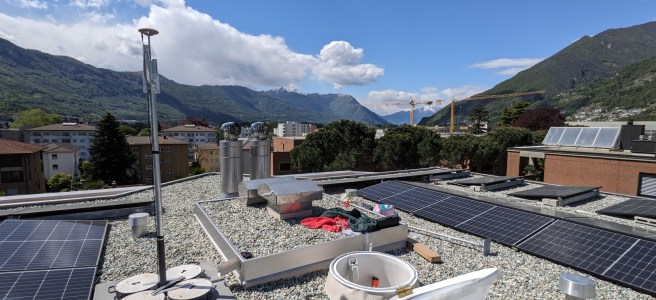
In December 2023 I installed a GPS antenna at a new site which is somewhat distant from where I live and, as I discovered in the following months, it has has some peculiarities which are negatively influencing the performance of the antenna.
At this link a quick video which allows you to understand the site situation.
This article describes all the steps that I have undertaken with the aim of improving the performance of the antenna, the results and the conclusions.
Since its first installation the antenna token reward rate was below my expectations. The green curve represented in the graph below represents the token reward rate which is directly bound to the performance of the antenna.
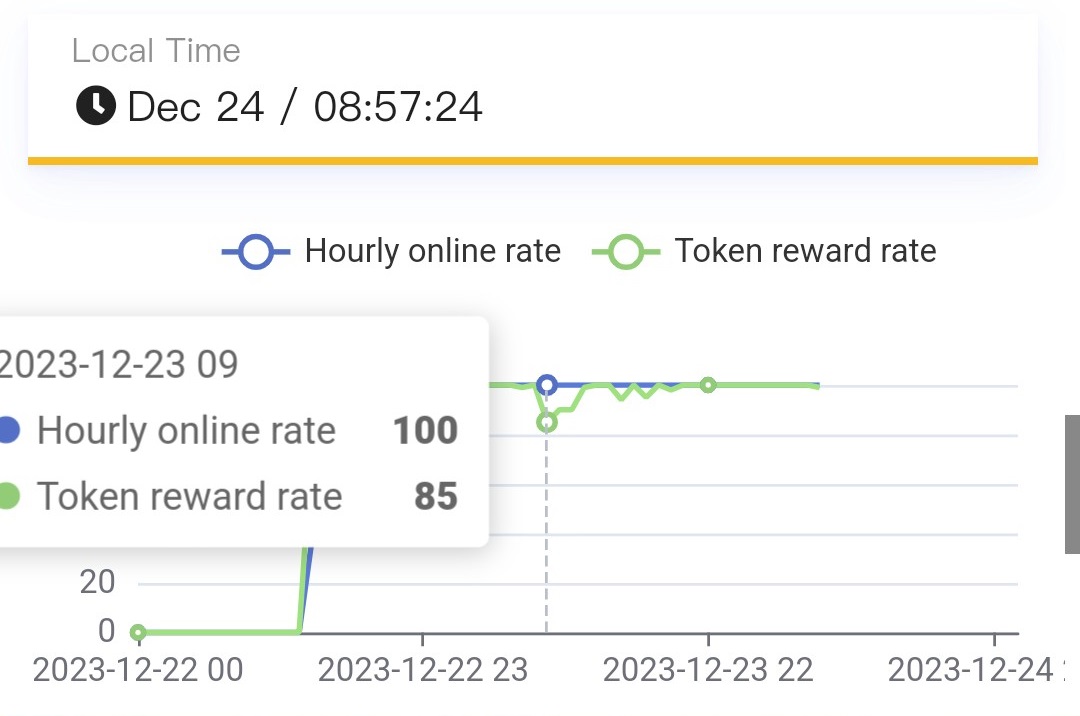
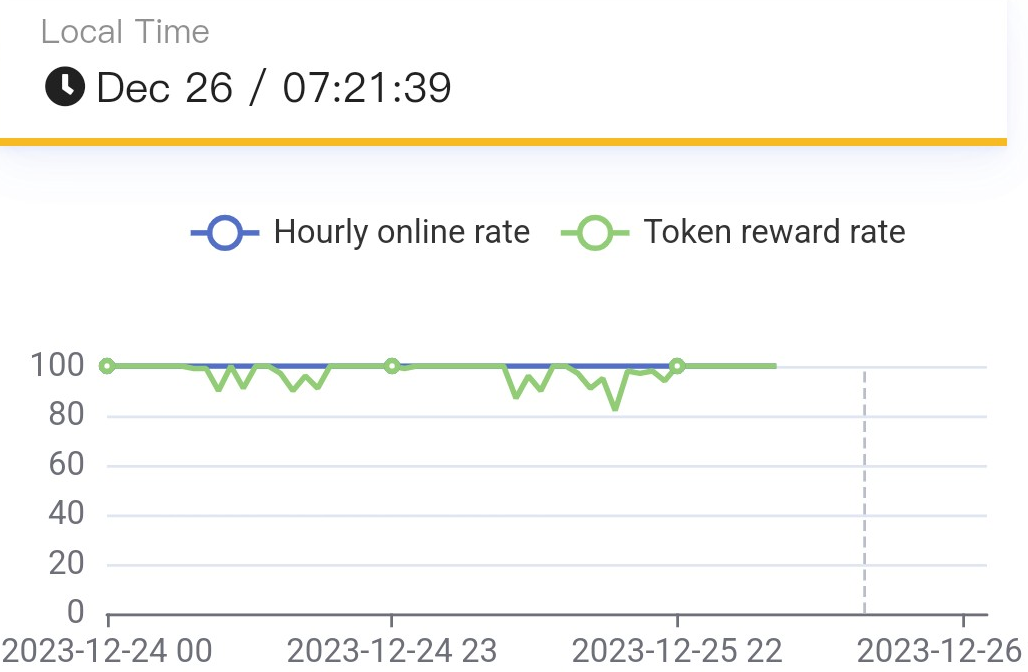
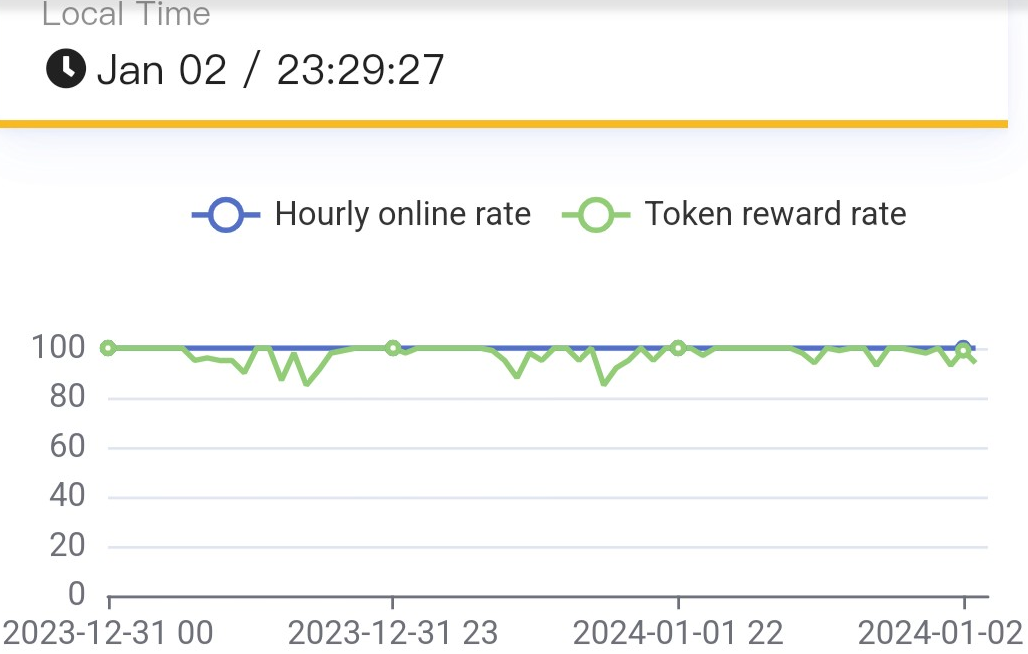
My expectation was to be completely flat curve showing a 100% token reward rate all the time since the antenna is located on the roof of a quite tall building.
The first attempt: go even higher
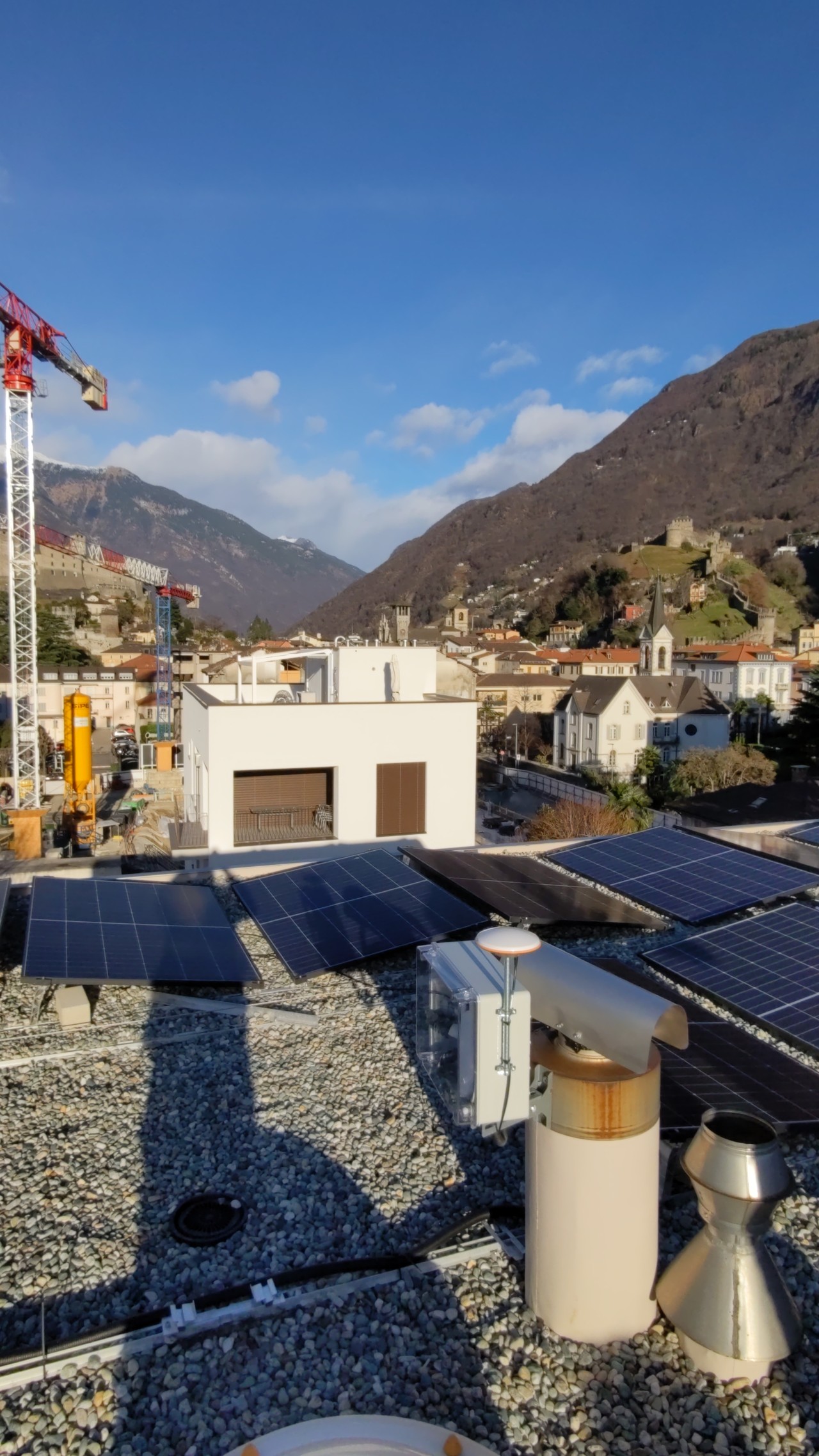
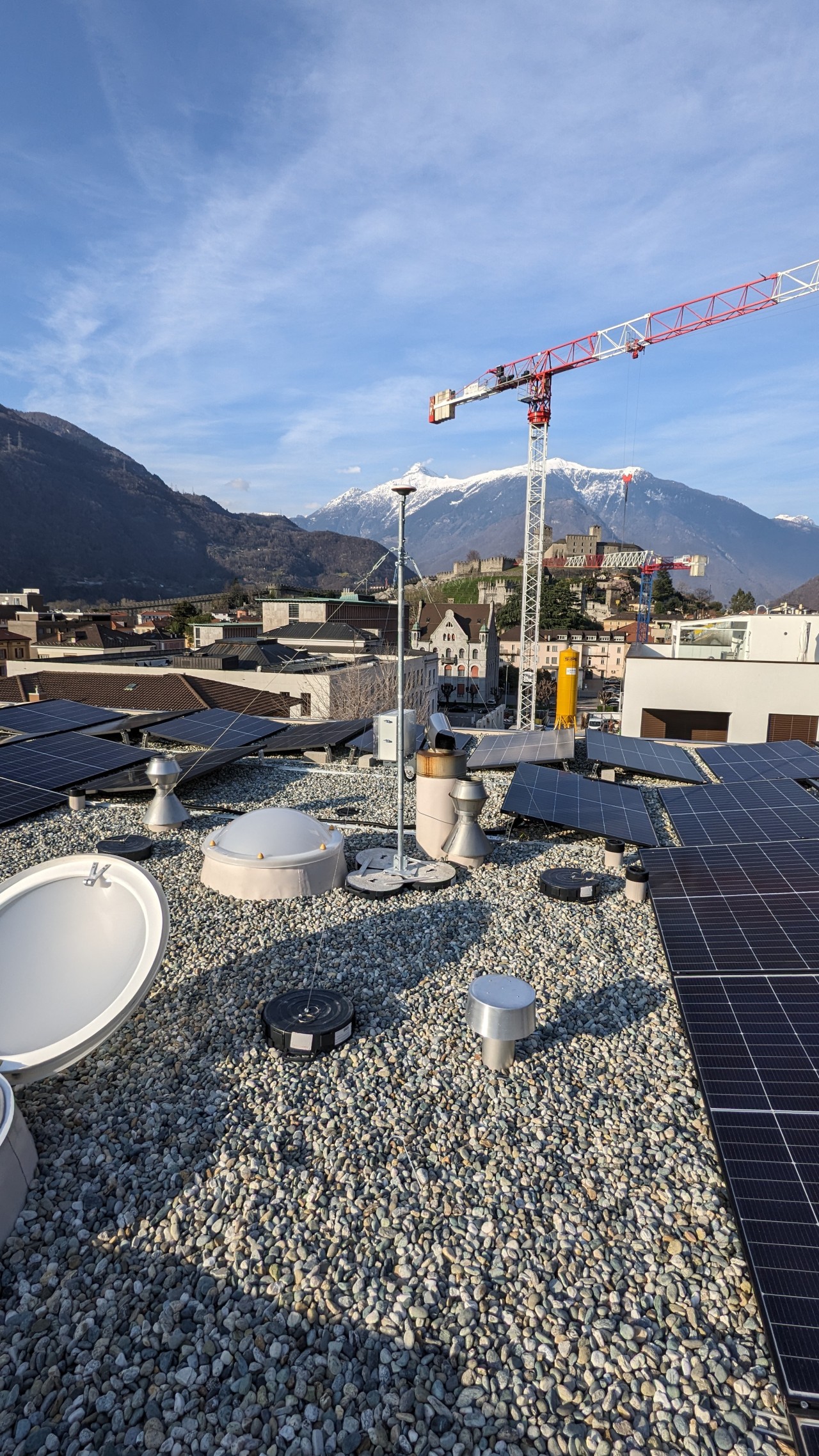
The first thoughts were related to the crane which you see in the background of the picture above. Maybe it was reflecting the GPS signal while moving. Or maybe it was a rather tall tree which is nearby. I knew that I could not overcome the presence of the crane but I could try to minimize the effect of the tree. Therefore I decided to install the antenna on a mast. Before proceeding I asked help to support and they suggested that I should position the antenna higher by a few centimeters. I went overkill and ordered a telescopic mast which would get 3 meters high.
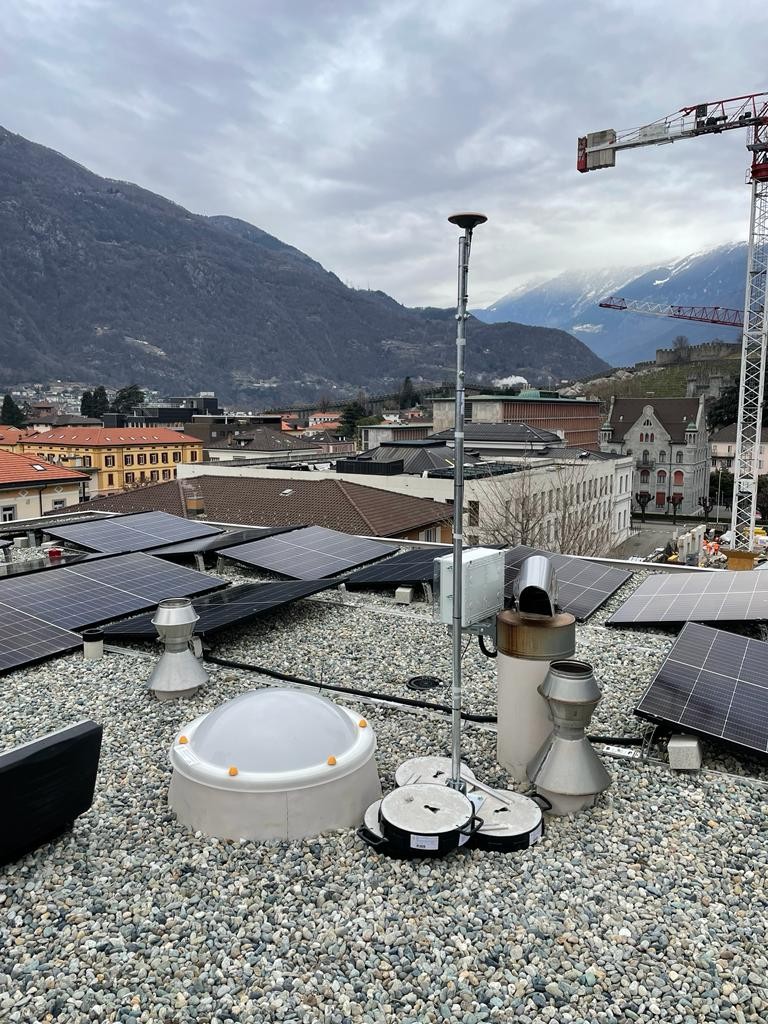
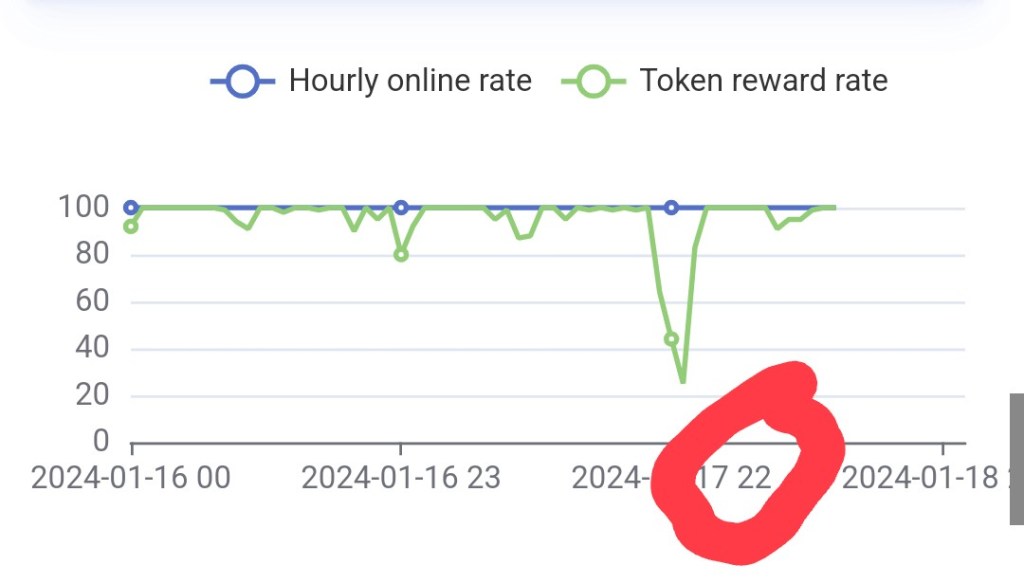
Once the installation was completed I started to monitor constantly the token reward rate curve as I was hoping to see the desired improvements. This was the first time that I realized that something in the graph was not exact: the curve token reward rate showed a deep fall in performance and this was expected, because during the works the antenna had to be moved around. What struck me was that the loss in performance in the graph had been registered rather late at night, between 21:00 and 22:00. At that time the electrician for sure was not working on the roof
After some weeks I had to realize that the antenna was performing slightly worse than before. The mystery was becoming even more mysterious. How was it possible that having installed the antenna on a much higher position I would get the same or even worse results?
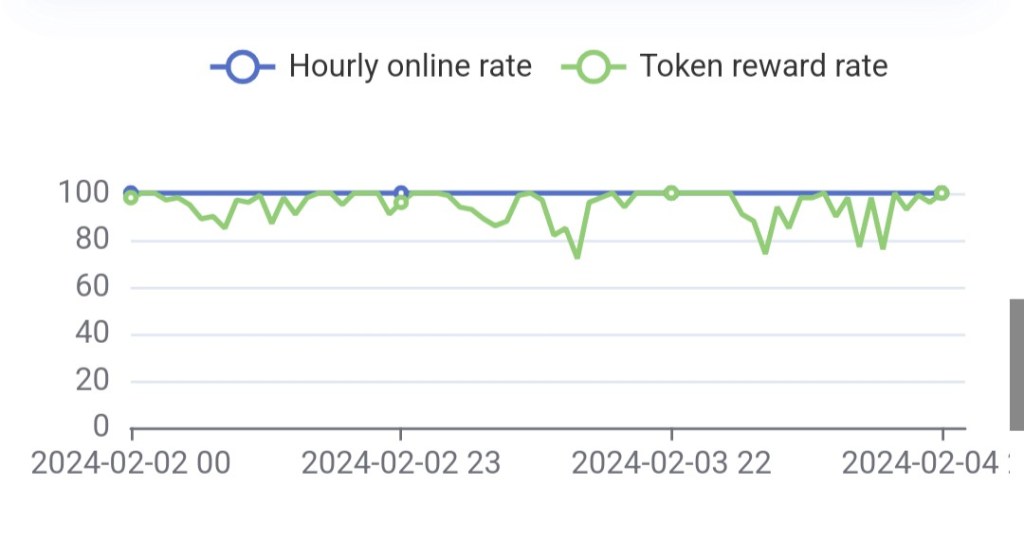
The token reward rate (green curve) showed greater instability.
The wind
It was until one night during which a strong wind invested the whole region that I realized that I might have missed an aspect: I had never taken into consideration that the antenna might be moving with the wind and the fact that the token reward rate worsened during the storm was for me proof enough that all of my issues were caused by the wind. 😀
Soon enough I had some guy wires installed.
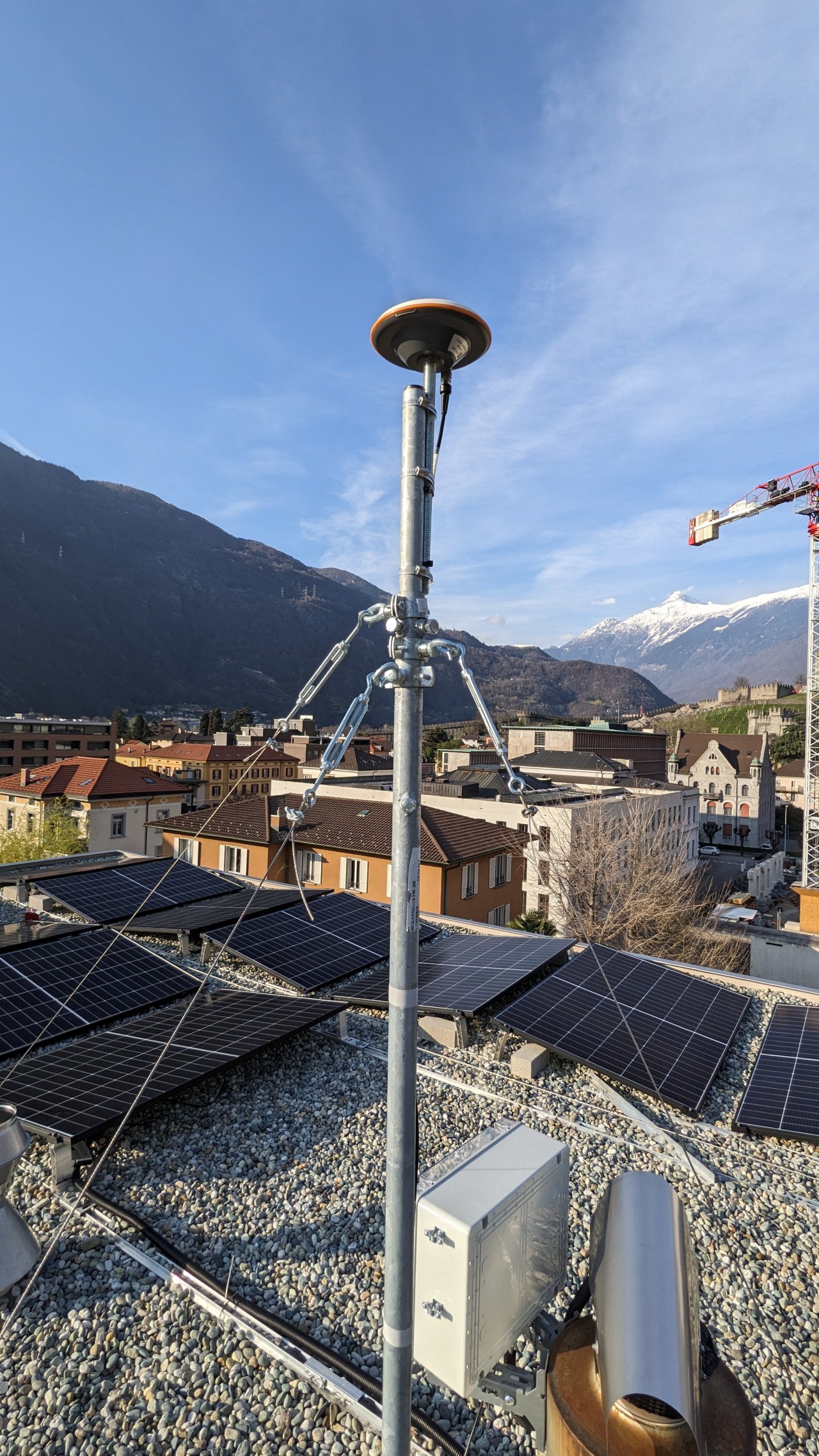
I had a lot of discussions with friends, electricians and with myself about the new setup. Were the guy wires pulling enough to avoid the mast to swing back and forth during windy days? Or did I need more weight as the ones I had the guy wires anchored to were too light (15Kg each)? I would have loved to anchor the guy wires in the floor but I had been strongly advised against it as the insulation would not be water tight anymore.
Once again by looking at the graph I could not find the answers I was looking for: the token reward rate seemed to show some improvement but after some time, the drops started to increase in depth and frequency. Moreover also the Rolling Reward Rate (RRR) decreased from 98.2% down to 94.4%.
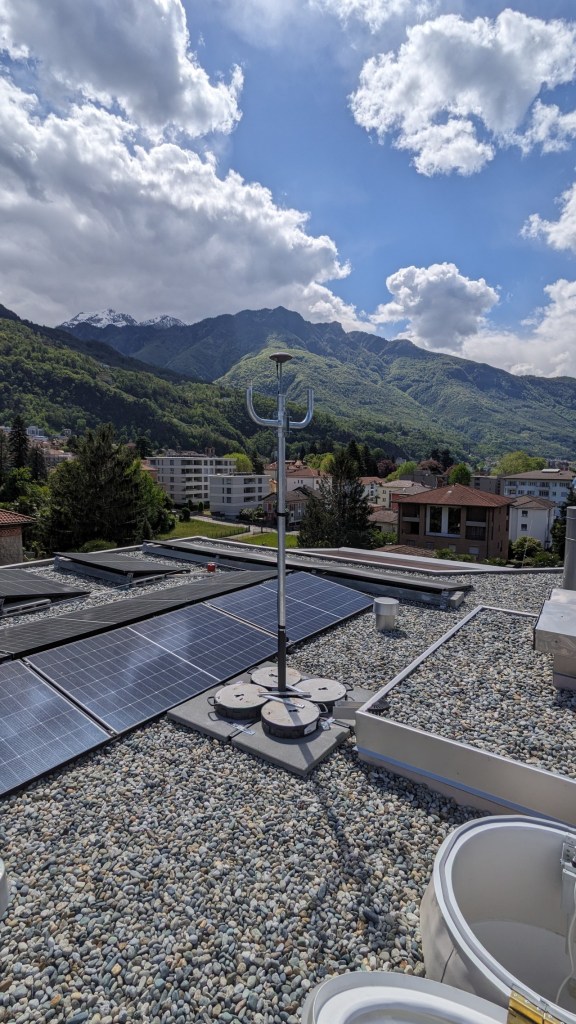
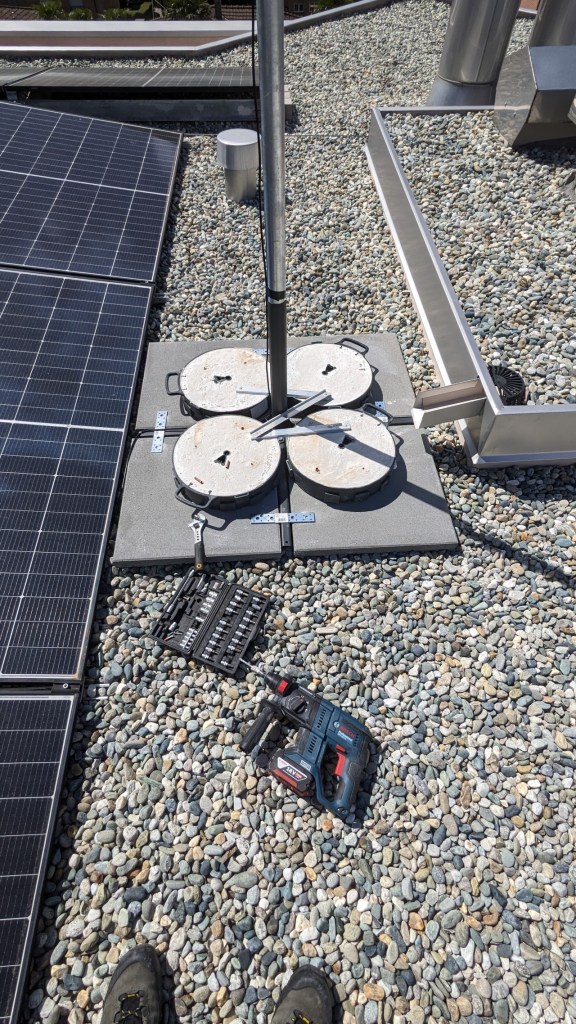
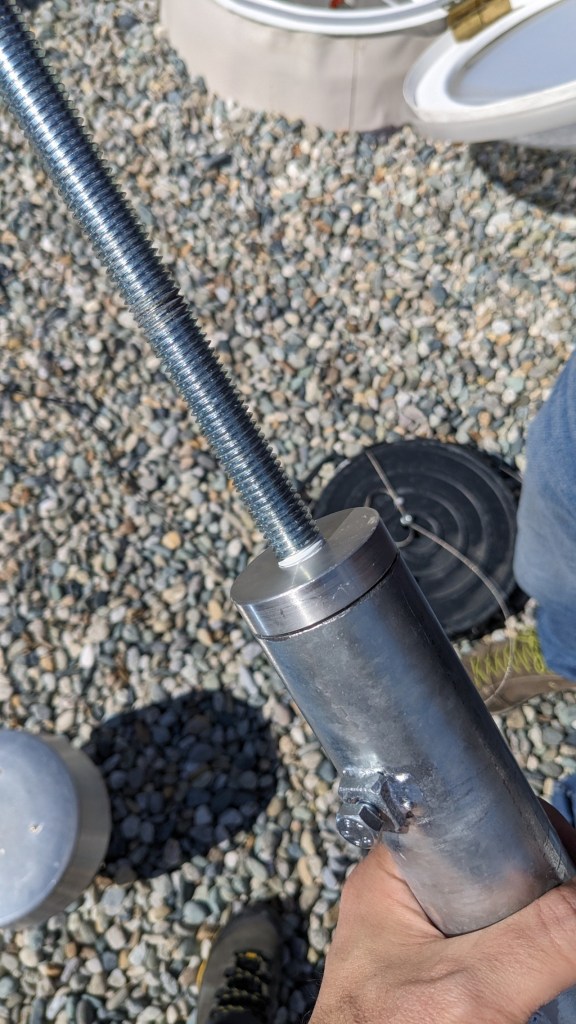
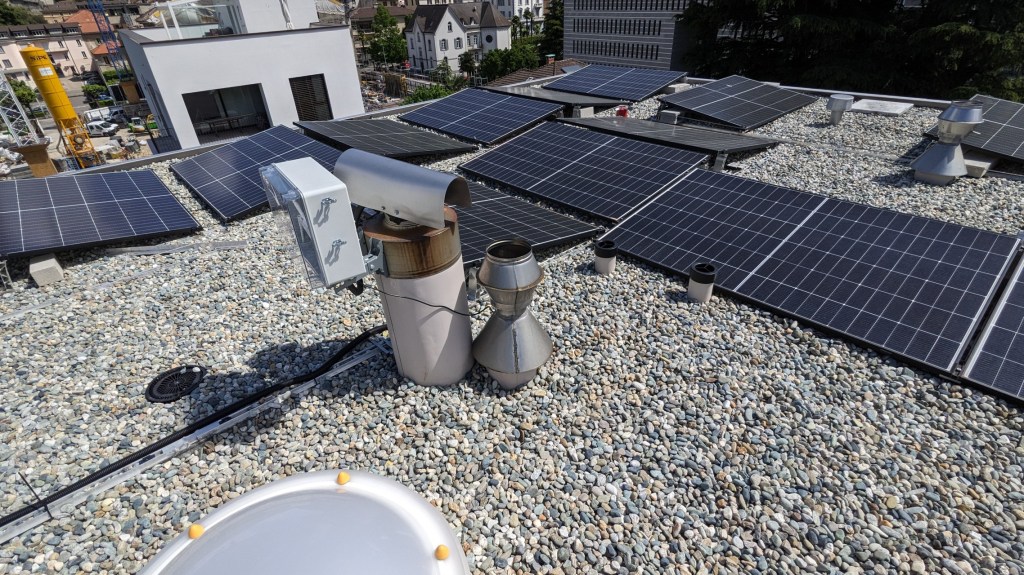
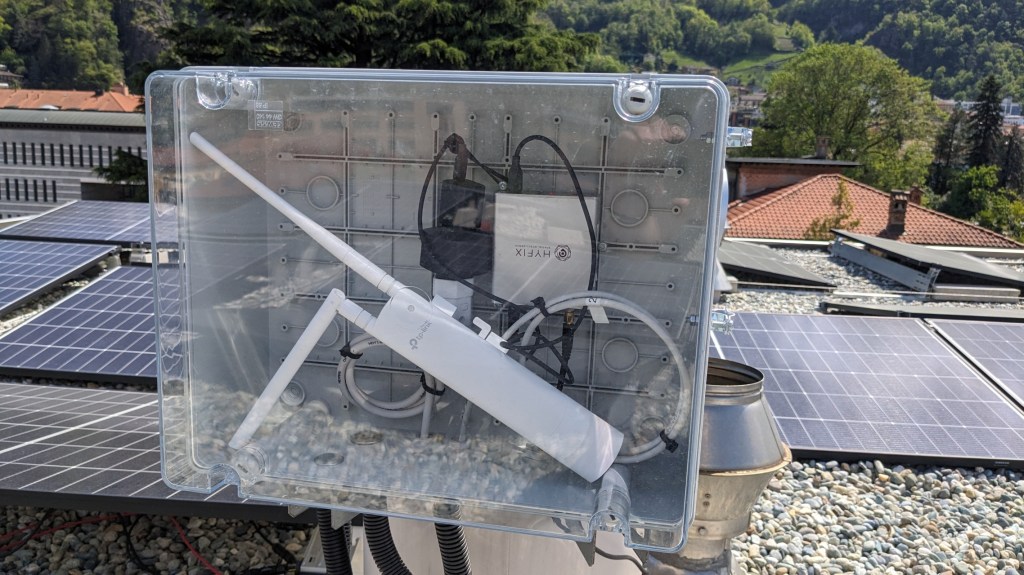
There was also the suspicion that the antenna cable which I had left tight rolled in the box together with the miner could cause some signal loss. Since I had all those questions open it was evident that another intervention was needed, which I scheduled during one of the first possible free days. The objective was to further stabilize the installation by using a better weight distribution at the base, use a thicker mast (50 mm diameter) and distribute the antenna cable on the roof.
Here below some of the pictures I collected while doing renewing the install.
The mountains
Now it is already a few days that I have completed the last improvement and the graph looks like this:
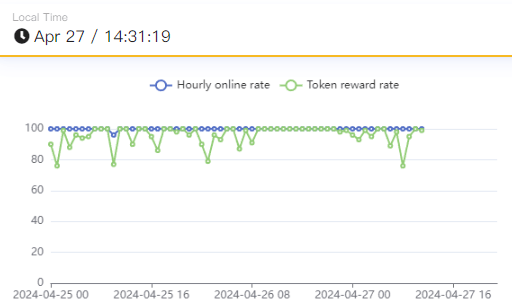
Apparently starting at 09:00 of the 26/04/2024 the number of satellites was high enough to ensure a stable performance until 21:00. After that the signal started to bounce again for the whole night until 09:00 of the next day, time when the signal started to improve again.
So even after the third intervention I still was not able to reach the maximum performance and stability. At this point, having tried everything, only one thing was left for me to do: accept the fact that the location is not that good and that the mountains being so tall and near are covering some of the satellites.
Missing an analytical tool
By constantly watching the graph I realized that some of the events which happen on the antenna are either delayed or not tracked at all. During the 26th of April for example I was able to monitor the token reward rate and witness a drop from 30 to 27 satellites which I could not find on the graph later. The fact that the graph is rendered with a few hours of delay does not help troubleshooting, because if you change something to the installation you will get the results a few hours later. But even worse is the fact that since I could not see the drop in the performance which I had witnessed I started to wonder which data the graph is recording and/or if it is discarding some data. This is the reason why I started to wish for a detailed report which showing the number of effective satellites connected to the antenna every 15 seconds.
Lessons learned
Site check
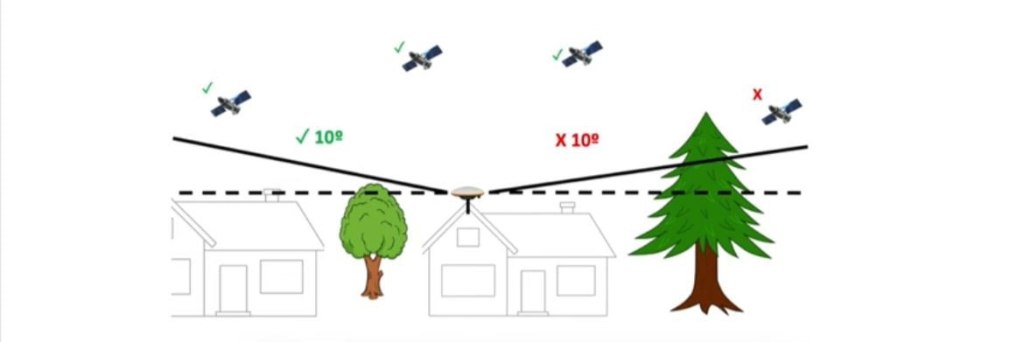
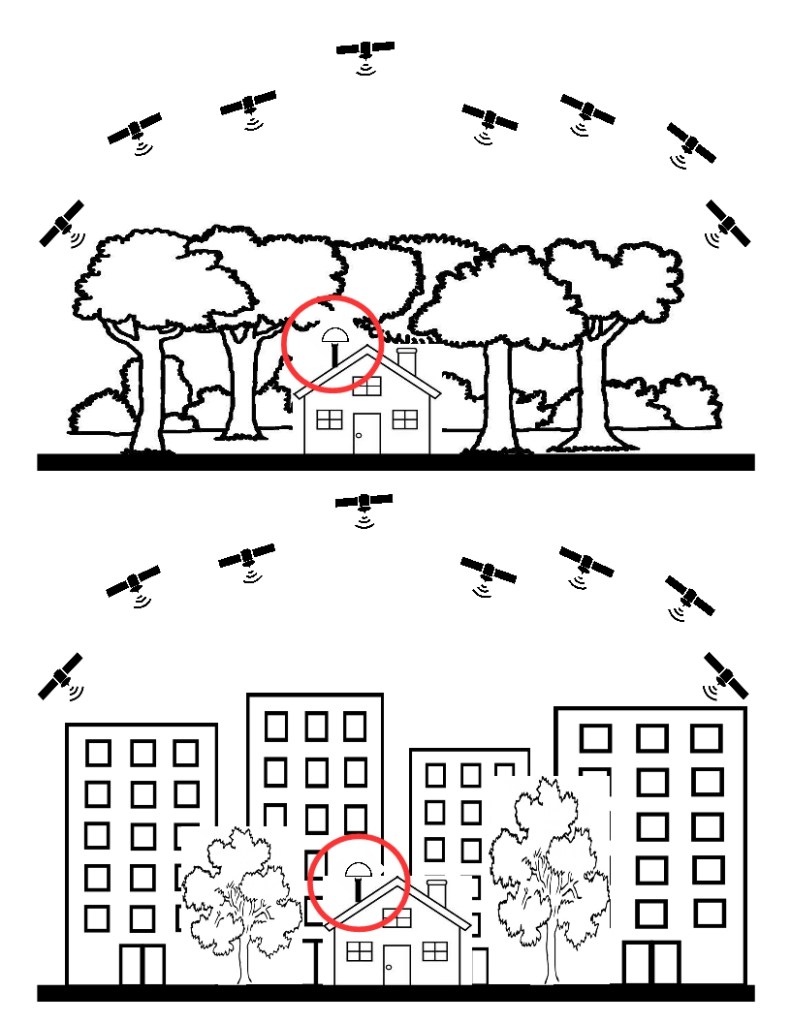
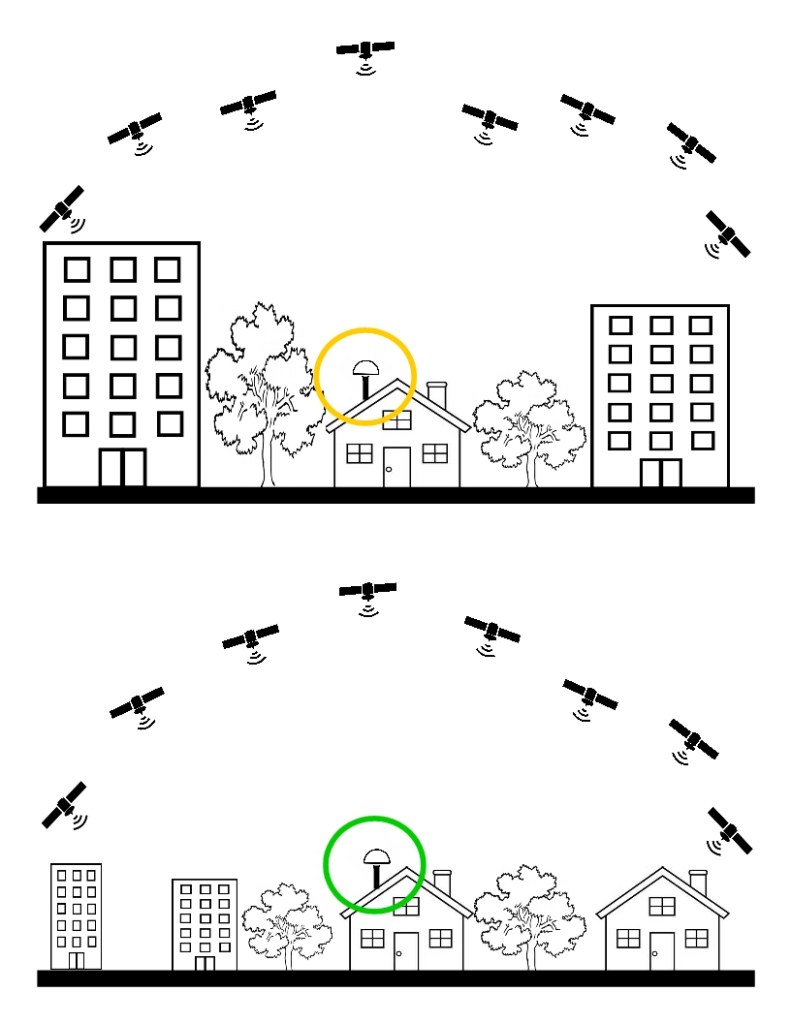
In order to avoid all the trouble I went through it is very important that the choice of the location is attentively made. Go to the spot in person and check the following:
- Presence of mountains nearby
- Presence of trees nearby
- Use the mobile app for android GNSS view and use it to verify if there are objects/buildings which cover satellites
- Take pictures/videos while being right on top of the antenna position as well as from away: this way you may print the picture and measure with the help of a protractor if possible objects could interfere with the antenna sight or not
- Ask/check for wifi availability and/or for mobile coverage
- Ask/check for wind behaviour
- Verify possible fastening points
Analysis of previous months
Trying to understand the behavior of the antenna by looking at past performance it is not that useful as satellites keep moving as GNSS satellites are not geostationary. Furthermore the number of effective satellites is influenced by space weather as well, it makes no sense trying to understand what has happened in previous months. For this reason it is even more important that the location you choose allows you to have more than the bare minimum of 30 satellites in order to have some buffer in case the effective number of satellites drops. Having more than what is strictly required will allow you to keep a good performance 24/7.
Cranes
Cranes do not impact the satellite number. This was confirmed to me by some users on Discord as well.

 www.wordbites.ch